

 →
 →
 →
 →
 →
 →
 →
 →
 →
 →
 →
 →
 →
 →
 →
 →
 →
 →
 →
 →
 →
 →
 →
 →
 →
 →
 →
 →
 →
 →
 →
 →
 →
 →
 →
 →
 →
 →


 TouchEn nxFirewall AI-Powered Online Firewall &
Antivirus
Block threats on user PCs
with an
online firewall
and antivirus
Manage internet communication on user PCs with
TouchEn nxFirewall,
and build a safe internet environment
with virus and malware detection and program control.





Challenges
If your web service is secure,
are your users' PCs secure too?

Security threats that can arise on user PCs
even when accessing a secure web service
User damage from infections
by viruses, adware, and hacking tools
The management burden of allowing
or blocking internet connections
program by program
The burden of applying and operating
security features for diverse
browser environments
Solution
Control internet connections as needed;
scan and remove viruses and malware
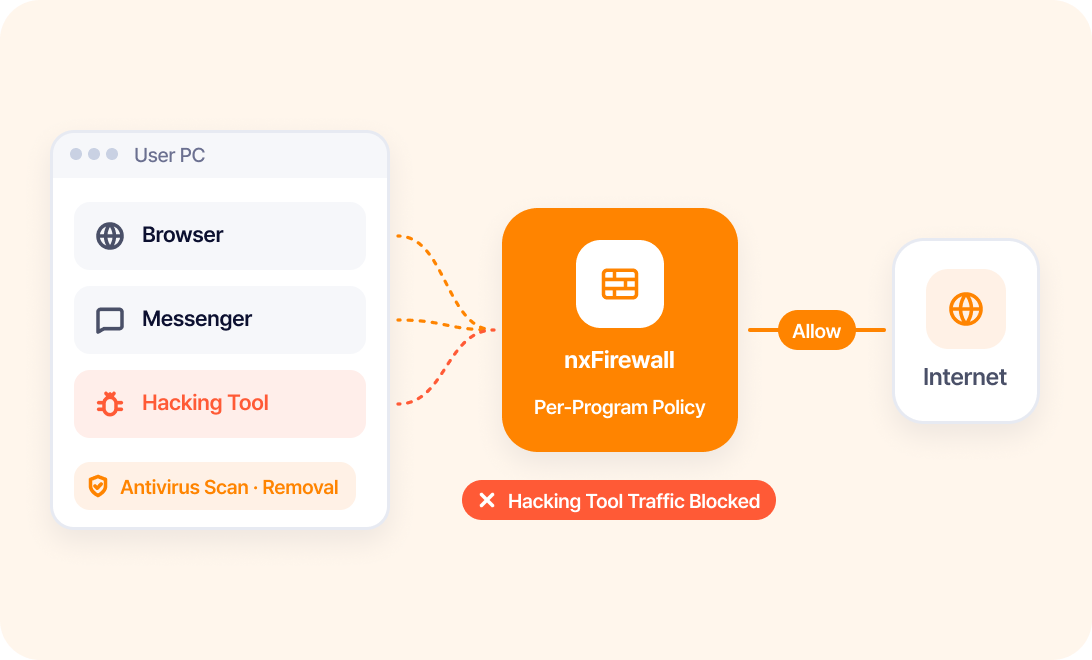
TouchEn nxFirewall allows or blocks internet connections per program,
and scans and removes viruses, adware, and hacking tools to protect user PCs.


Benefits
Fewer internet threats,
stronger user PC security
status and risk factors on user PCs
when infected by viruses or malware
internet-using programs individually
are applied to each browser environment


 After
and allow or block only the traffic you need
Proven Technology
Technology that integrates a firewall and antivirus into one

Integrated Firewall
& Antivirus Security
Integrated support from per-program internet
connection control to virus and malware
detection and removal

Support for Diverse
Browser Environments
Supports browser environments through diverse technical
approaches such as Browser Extension and Local Web Server

Easy Deployment
Without Extra Hardware
Deploy the service by simply adding a script,
with no additional hardware

GS Certification Grade 1Korean Software Quality Certification
Key Features
From internet connection management to malware removal:
core online firewall and antivirus features
Supports a safe internet environment on user PCs with an online firewall, antivirus, and program and network management features.
01
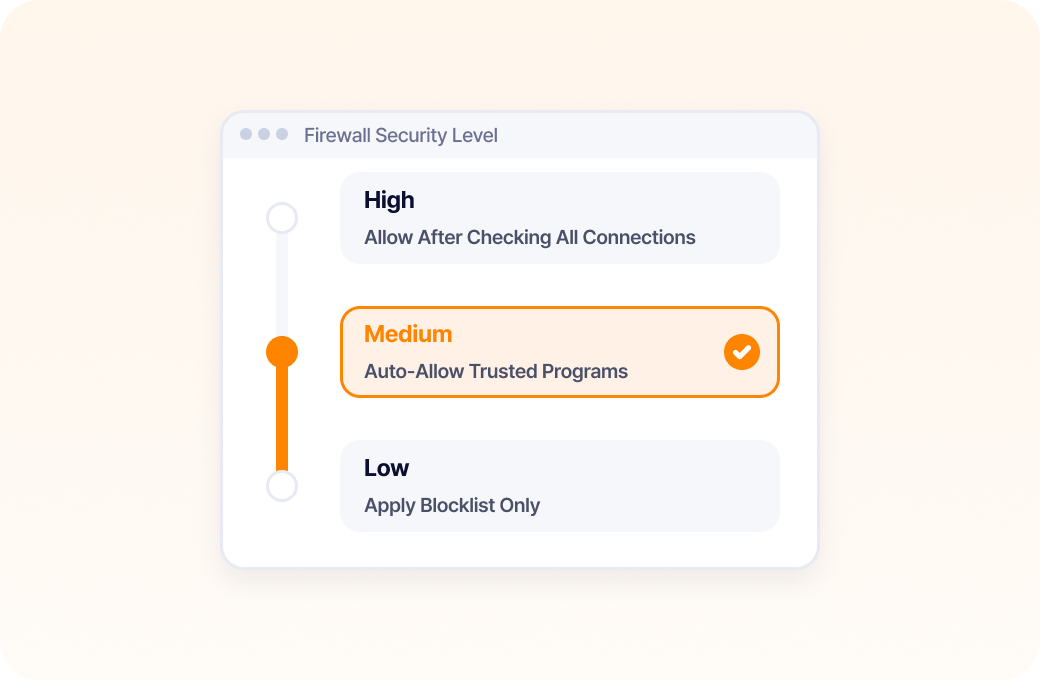
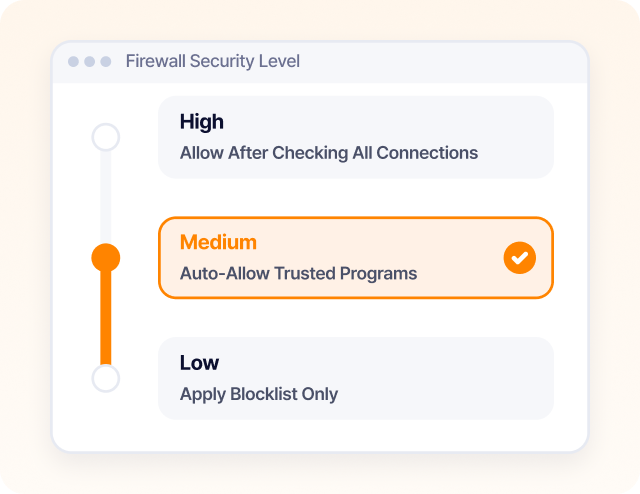
Firewall Security Level Settings
Sets and applies the firewall security level
appropriate for the user and network environment.
02
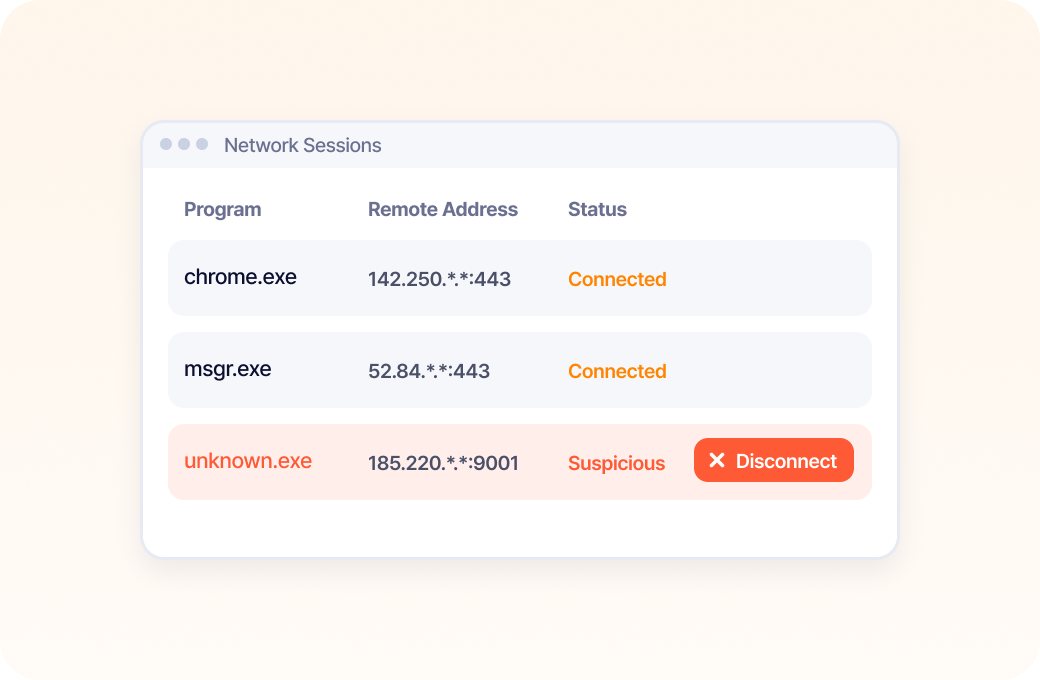
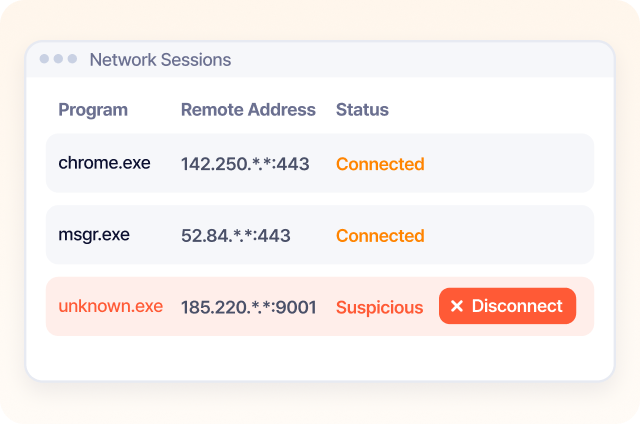
Network Management
Checks current internet connections and network session status
and terminates connections as needed.
03
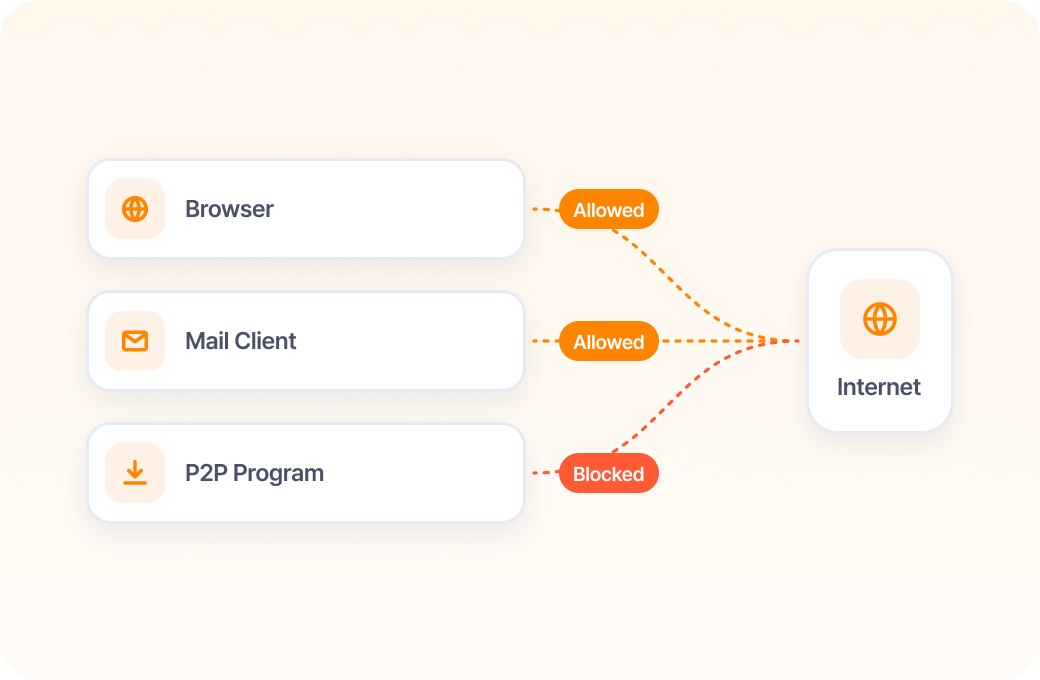
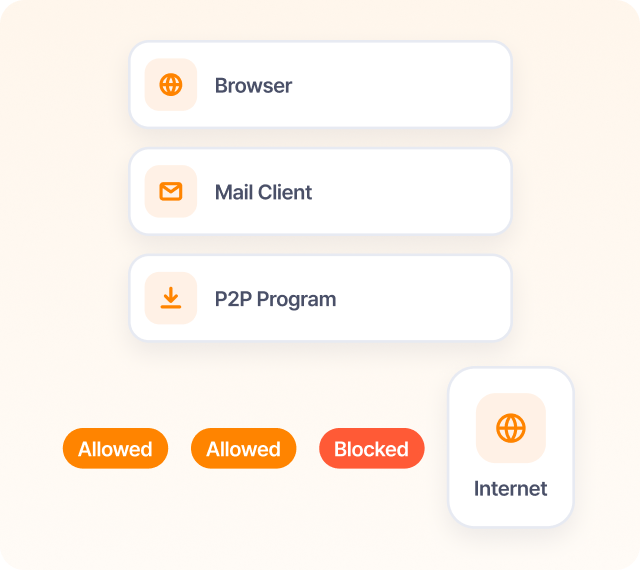
Program Settings
Specifies programs that use the internet
and sets whether each is allowed or blocked from communicating.
04
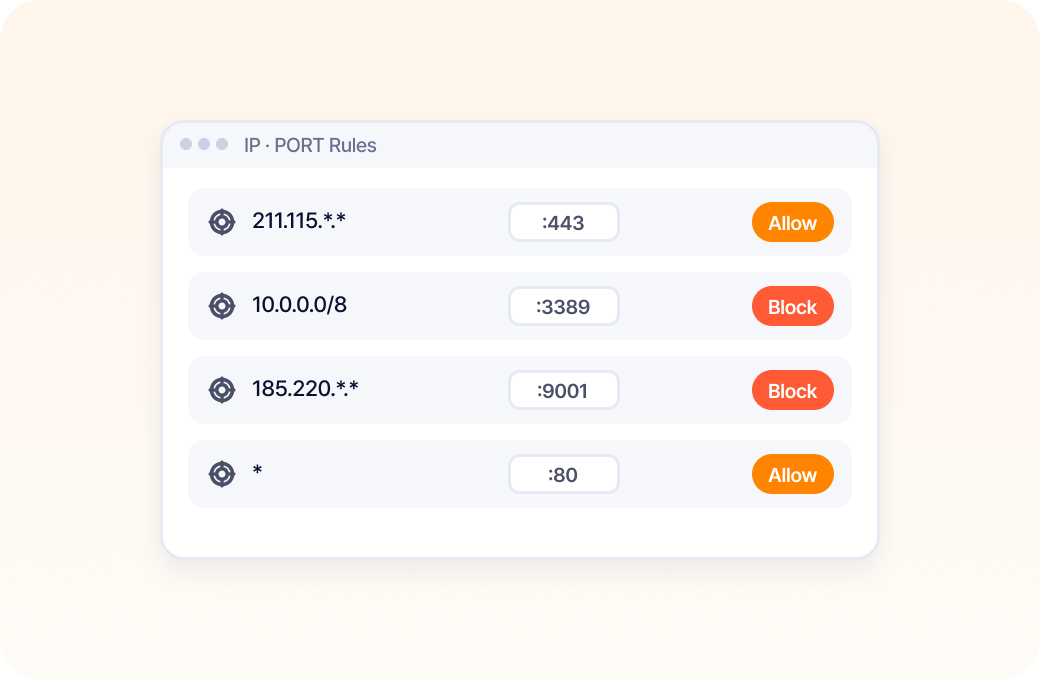
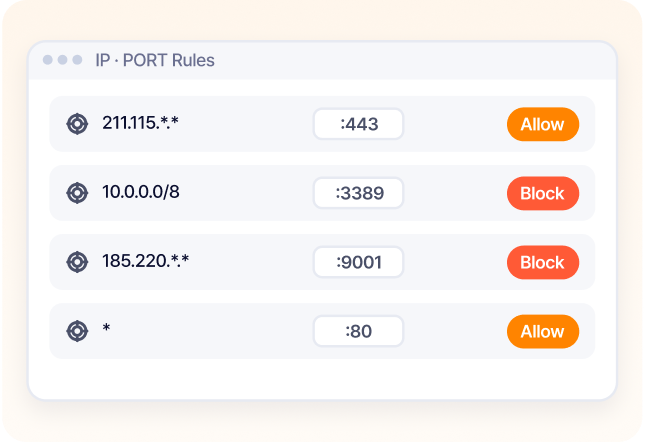
IP & PORT Control
Manages external IPs and ports
and lets you allow or block specific entries directly.
05
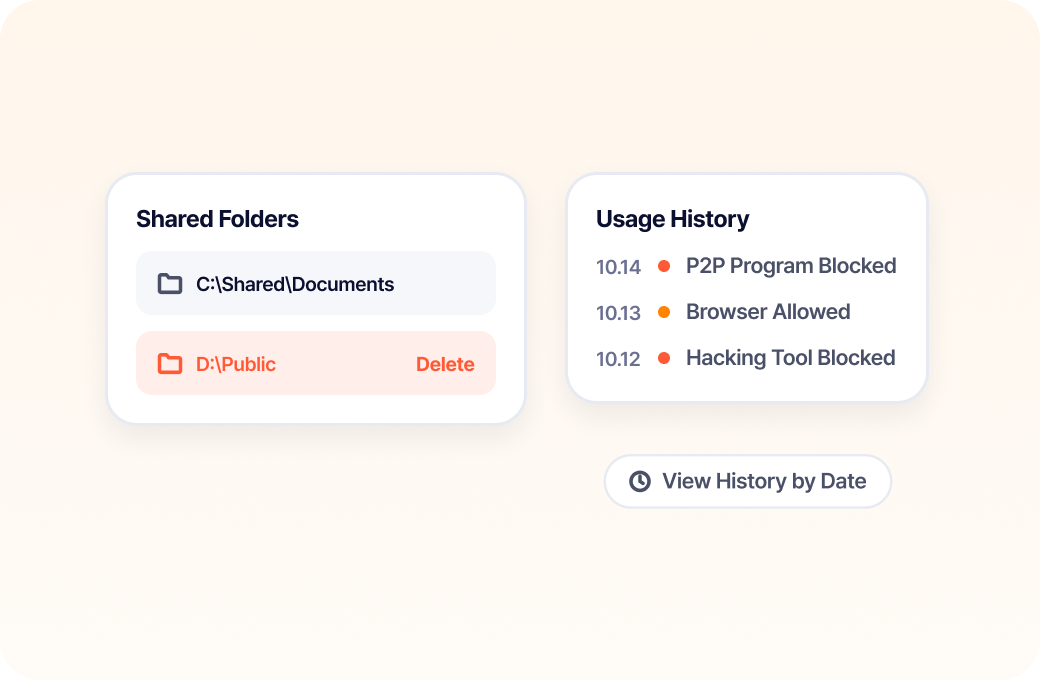
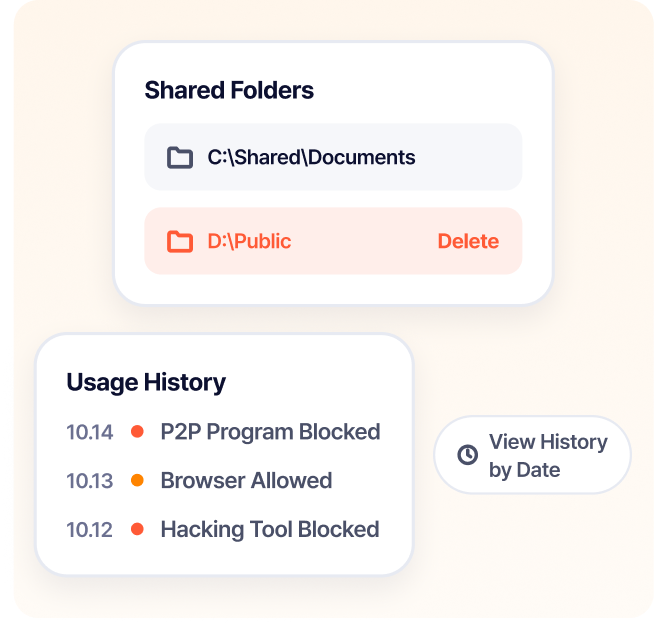
Shared Folder & Usage History Management
Easily manage everything from checking and deleting PC shared folders
to program allow/block history and daily usage records.
06
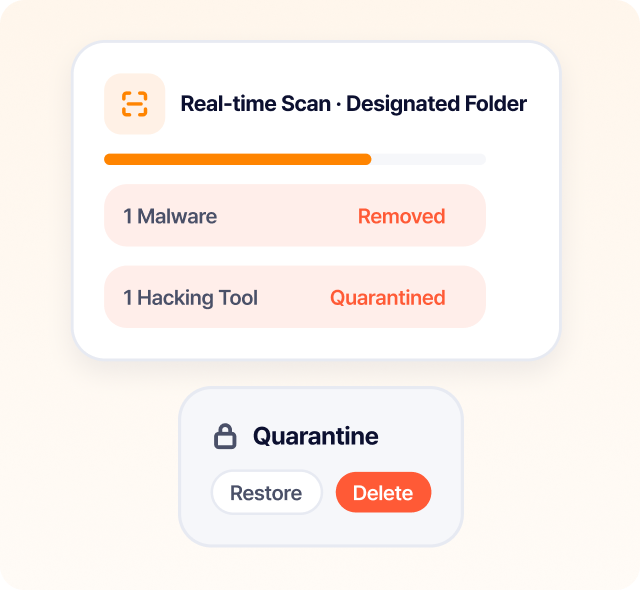
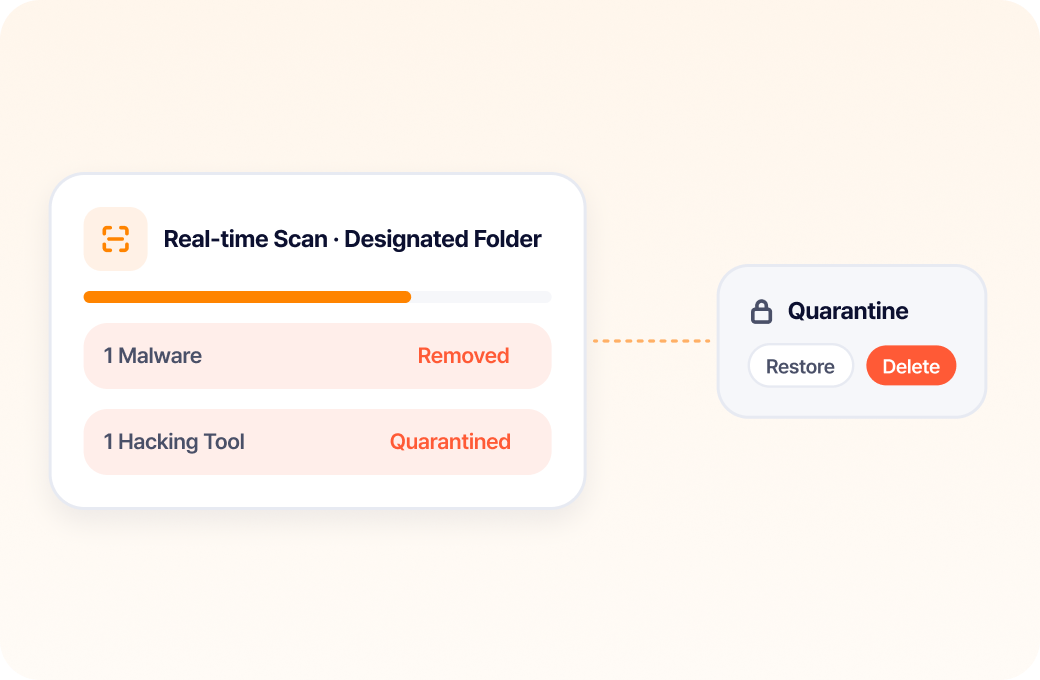
Antivirus
Scans and removes malware and hacking tools in designated folders in real time,
and safely supports restoring and deleting quarantined files.
Secure user PCs with TouchEn nxFirewall:
firewall and antivirus in one

Challenges
If your web service is secure,
are your users' PCs secure too?
Security threats that can arise
on user PCs even when accessing
a secure web service
User damage from infections
by viruses, adware, and hacking tools
The management burden of allowing
or blocking internet connections
program by program
The burden of applying and operating
security features for diverse
browser environments
Control internet connections as
needed; scan and remove viruses
and malware
TouchEn nxFirewall allows or blocks internet
connections per program, and scans and removes
viruses, adware, and hacking tools to protect user
PCs.

Benefits
Fewer internet threats,
stronger user PC security
Before
Difficulty checking internet connection
status and risk factors on user PCs
User PCs exposed to security threats
when infected by viruses or malware
The burden of checking and managing
internet-using programs individually
The burden of adapting how security features
are applied to each browser environment
After
Check internet connections per program
and allow or block only the traffic you need
Scan for and remove viruses, adware, and
hacking tools
Centralized management with per-program
allow/block policies
Multi-browser support through diverse technical
approaches
Proven Technology
Technology that integrates a firewall
and antivirus into one
Integrated Firewall
& Antivirus Security
Integrated support from per-program internet connection
control to virus and malware detection and removal
Support for Diverse
Browser Environments
Supports browser environments through diverse
technical approaches such as Browser Extension
and Local Web Server
Easy Deployment
Without Extra Hardware
Deploy the service by simply adding a script,
with no additional hardware
GS Certification Grade 1
Korean Software
Quality Certification
Key Features
From internet connection
management to malware removal:
core online firewall
and antivirus features
Supports a safe internet environment on user PCs with an
online firewall, antivirus, and program and network
management features.
01
Firewall Security Level Settings
Sets and applies the firewall security level
appropriate for the user and network environment.
02
Network Management
Checks current internet connections and network session
status and terminates connections as needed.
03
Program Settings
Specifies programs that use the internet
and sets whether each is allowed or blocked
from communicating.
04
IP & PORT Control
Manages external IPs and ports
and lets you allow or block specific entries directly.
05
Shared Folder &
Usage History Management
Easily manage everything from checking and deleting PC
shared folders to program allow/block history and daily
usage records.
06
Antivirus
Scans and removes malware and hacking tools in
designated folders in real time, and safely supports
restoring and deleting quarantined files.